Building Interactive Product Configurators with Shopify 3D Models
Interactive product configurators are transforming ecommerce by letting customers customize products visually in real time. With Shopify’s 3D model support and third-party tools, developers can create engaging configurators that boost sales, reduce returns, and deepen shopper engagement.
What Is a 3D Product Configurator?
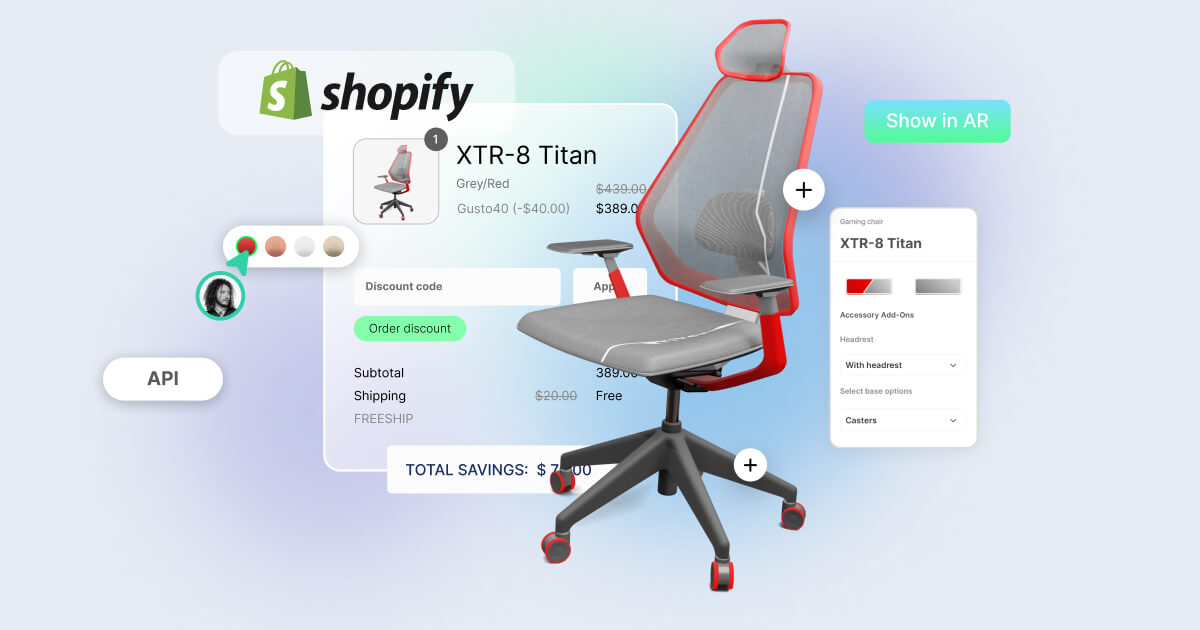
A 3D product configurator allows users to manipulate product attributes—like color, size, texture, or components—through interactive 3D models embedded directly on product pages. Unlike static images or videos, these configurators respond dynamically to user input, providing a rich, personalized shopping experience.vectary+1
Tools and Platforms
Popular 3D configurator solutions for Shopify include:
-
Vectary: No-code configurator builder with APIs for embedding interactive 3D content and hotspots.
-
Threekit: Enterprise-grade tool with real-time rendering, AR sync, and advanced customization.
-
MazingXR and ARitize3D: Offer configurator features integrated with augmented reality capabilities.
-
Angle 3D Configurator: Mid-tier Shopify app focused on ease of use and configurator creation.magecomp+2
Building a Configurator Workflow
-
Model Preparation: Create or obtain a detailed 3D model with separate materials and components for customizable parts.
-
Platform Setup: Import your model into a configurator tool or platform that supports Shopify integration.
-
Define Options: Set up color swatches, material choices, or component toggles tied to product variants in Shopify.
-
Embed and Sync: Embed the configurator on product pages using Liquid or JavaScript, ensuring synchronization with Shopify’s product variants for pricing and inventory.
-
Add Interactive Features: Include hotspots, animations, or tooltips to highlight key product features.
-
Test Across Devices: Confirm fluid interaction on desktop and mobile, including AR where applicable.vectary
Benefits of Interactive Configurators
-
Enhanced Engagement: Customers spend more time exploring and customizing products.
-
Reduced Returns: Personalized previews lower the chances of dissatisfaction.
-
Increased Conversions: Shoppers gain confidence by seeing their exact choices before purchase.
-
Data Insights: Configurators often collect preferences data useful for inventory and marketing strategy.
Best Practices
-
Keep UI intuitive and responsive across all devices.
-
Optimize models for performance without sacrificing visual quality.
-
Incorporate clear CTAs encouraging users to interact with the configurator.
-
Use analytics tools to monitor configurator usage and optimize continuously.zigpoll+1
Conclusion
3D product configurators are powerful tools for bringing ecommerce product customization to life. With Shopify’s 3D media support and ecosystem of configurator apps, developers can create dynamic, interactive experiences that delight customers and drive growth.